
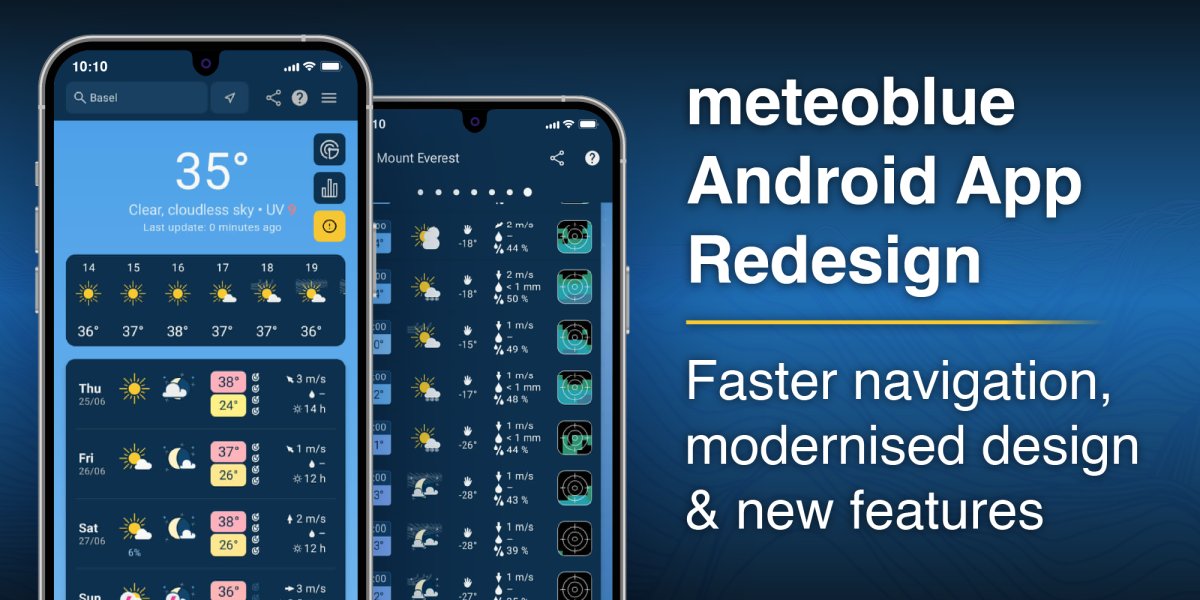
The latest Android app update marks a significant step forward in the evolution of the meteoblue mobile experience. The interface has been fully redesigned, resulting in a cleaner, more consistent visual language and a more intuitive way to explore weather data.
This update does not set out to reinvent what users value. Instead, it focuses on improving how that information is accessed and understood.
A redesigned interface built around usability
At the centre of the update is a shift towards a scroll-based layout. Most key content is now accessible directly on the main screen, reducing the need for repeated navigation. At the same time, a menu structure remains available for those who prefer a more traditional approach.
The visual overhaul introduces a unified colour scheme and a more coherent look and feel across the app. Design changes can be disruptive, so early feedback has already shaped adjustments: the reintroduction of the menu, for example, reflects direct user input. Refinement continues, too. A feature currently in beta lets users rearrange the weather cards to match their own priorities, putting the information they check most within easy reach.
Crucially, no core features have been removed. Established tools such as Forecast Predictability and rainSPOT remain fully integrated, ensuring continuity for long-time users.
Faster access to key weather insights
The update places greater emphasis on immediacy. A new hourly weather overview for the next 24 hours is now visible directly on the main screen, removing the need for additional taps to reach short-term forecasts.
For those exploring meteorological data more deeply, long-tap tooltips are now available for most terms and symbols, offering instant explanations without leaving the screen.
Accessibility and global reach
Accessibility has been strengthened across the app. Support for larger system fonts ensures better readability, while improved translations enhance clarity across existing languages.
The app now supports 29 languages, including five newly added ones, and introduces full compatibility with right-to-left languages. This marks an important step towards making the platform usable for a broader global audience, addressing a limitation of the previous version.
Built for what comes next
This Android app update reflects a careful balance. It modernises the interface and improves usability without compromising the depth and reliability of the underlying data.
Beneath the surface, the update also replaces the app's UI toolkit with a more modern foundation, paving the way for faster and smoother improvements in future releases.
For both casual users checking the next few hours and professionals relying on detailed forecasts, the result is a more accessible, responsive, and globally inclusive app experience.


